
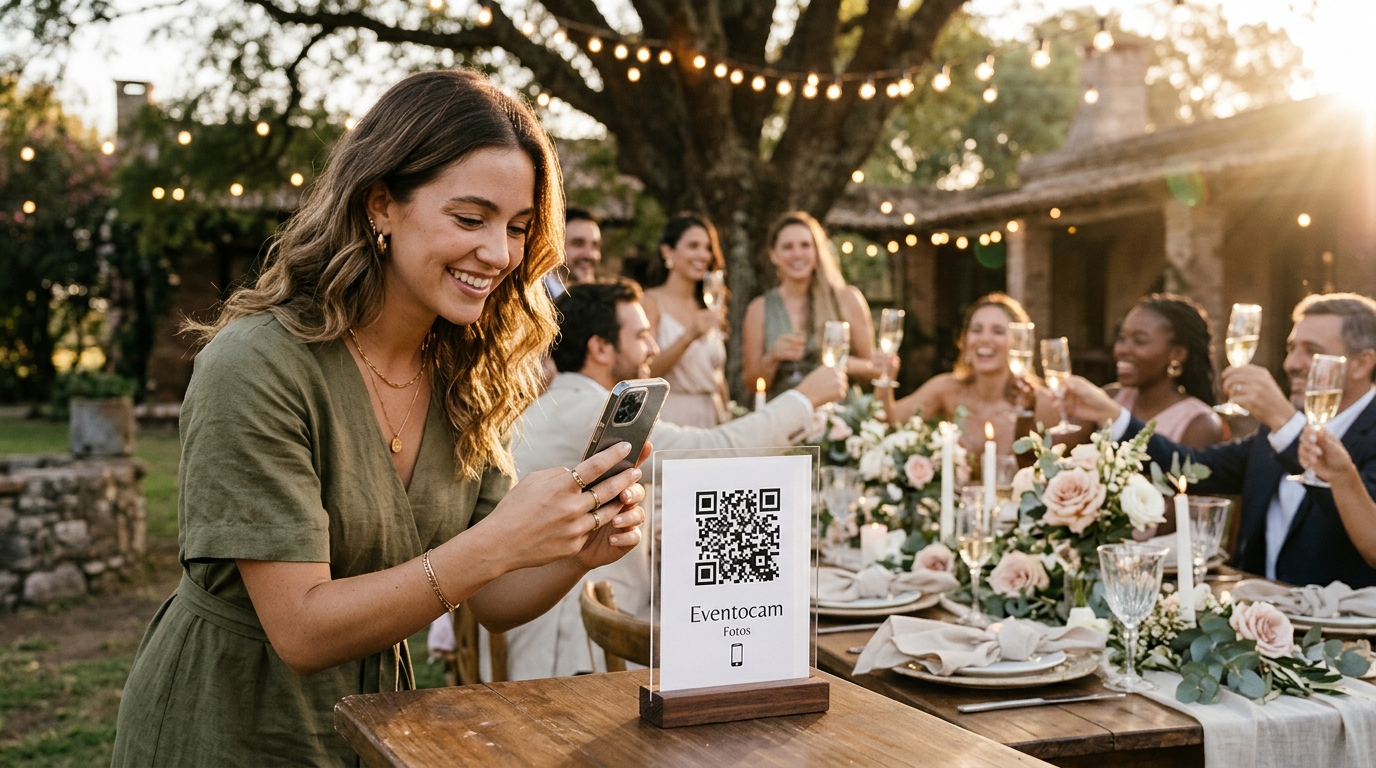
Skip the overflowing group chat and give your guests an easy way to share the wedding through their eyes. A QR code wedding photo album brings photos, videos and personal messages into one place, with a live slideshow everyone can enjoy at the reception. No app downloads required.
Why couples are choosing a digital wedding album with a QR code
A digital wedding album with a QR code gathers guests' photos, videos and voice messages in a private online gallery. Guests scan the code and share straight from their phone's browser, without downloading an app or creating an account. Their contributions can appear on the reception screen, and you can keep the original files after the celebration.
You've spent months choosing a venue, planning the menu, finding the right music and making the day feel like you. Then the wedding arrives, and somehow the whole thing passes in a blur. The next morning, one question comes up again and again: how do we get all the photos and videos our guests took?
Your photographer and videographer have an essential job: capturing the ceremony, the first dance, the family portraits and the moments you'll frame. Your guests see another side of the day. They catch the toast at the cousins' table, the laughter over drinks, the unexpected dance moves and the hugs you didn't even notice happening.
Collecting those memories used to mean weeks of chasing people, losing image quality in messaging apps or paying for a photo booth that only captures one corner of the party. With Eventocam, a QR code on a table or beside the bar gives everyone a direct route to your wedding album. Guests scan, upload and see their photos join the celebration on screen.
Where the usual photo-sharing options fall short
When couples start looking for a way to collect wedding photos, they often end up considering the same three options.
1. The wedding WhatsApp group
A group chat with 120 or 200 guests can quickly become hard to follow:
- Image quality: Photos and videos sent through standard chat settings can be compressed, leaving you with less detail than the original files.
- Phone number privacy: Adding everyone to a group means sharing guests' numbers with people they may not know.
- Too much noise: Congratulations, stickers and side conversations bury the pictures. Once guests mute the chat, collecting everyone's memories gets harder.
2. A traditional photo booth
Photo booths can be great fun, but there are practical limits:
- A limited booking window: Hire fees usually cover a set number of hours rather than the whole celebration.
- Time spent queuing: Guests may leave the dance floor to wait for their turn.
- One fixed viewpoint: A booth captures whoever stops to pose. It misses the table conversations, garden drinks and spontaneous moments happening elsewhere.
3. A shared cloud folder
A Google Drive or Dropbox link may seem like the obvious answer, especially if you use those tools every day. For wedding guests, though, the experience can feel like a task:
- Access hurdles: Account sign-ins, passwords and folder permissions can get in the way, depending on how sharing is configured.
- Little incentive to join in: A file folder doesn't create the same sense of occasion as watching your photo appear at the reception. Once the wedding is over, uploading pictures is easily forgotten.
QR wedding album vs photo booth vs group chat vs cloud folder
| Feature | Eventocam QR album | Traditional photo booth | WhatsApp group | Google Drive / Dropbox |
|---|---|---|---|---|
| App download | None: guests use their browser | None | WhatsApp installed | Browser or app |
| Getting started | Scan the QR code; no guest registration | Join the queue | Join a group and share a phone number | Access depends on account and folder settings |
| Photo quality | Original-resolution files | Depends on the booth and package | Depends on sending settings; standard sharing compresses files | Original files |
| Live reception screen | Yes, with moderation controls | Depends on the supplier | No built-in wedding photo wall | No built-in wedding photo wall |
| Types of memories | Photos, videos and voice messages | Usually posed photos | Photos, videos and audio mixed into a chat | Files in a folder |
| Digital guestbook | Yes, with an interactive PDF export | A physical guestbook may be available | No dedicated guestbook | No dedicated guestbook |
| Coverage | Guests can contribute throughout the celebration | One location, for the booked hours | Free, but takes organisation | Free options, but guests need prompting |
Four ways Eventocam becomes part of the celebration
A digital wedding album should do more than store files. Eventocam helps guests join in while giving you control over how their memories are shared.
1. A live photo wall on the big screen
Open your live wall link on the computer connected to your venue's projector or your DJ's screen. As guests share a funny selfie, a toast or a group shot from their table, the photos can appear in the slideshow. Seeing familiar faces on screen gives other guests a reason to scan the QR code and add their own pictures.
2. Moderation from your phone
Worried about an unflattering photo making it onto the big screen? You can manage moderation yourself or hand it to someone you trust, such as your wedding planner or a member of the wedding party. Turn on approval before display so you decide what appears in the live slideshow while keeping control of your private album.
3. A digital guestbook with voices and video
Guests can leave more than a photograph. Voice messages of up to three minutes and video dedications let them tell a story, share advice or simply say how much the day means to them.
Years from now, hearing a grandparent's voice or your best friend's impromptu message can bring back something a photograph alone can't capture. Export the guestbook as an interactive PDF with QR codes to keep digitally or print for your family collection.
4. A complete download in original quality
After the wedding, download the collected files together in a ZIP archive. Keeping the original-resolution photos and videos means you have proper copies to revisit, share with family or use in a printed photo book.
Where to put your wedding QR codes so guests actually use them
Visibility makes all the difference. Put the code where people naturally pause, and give them a clear reason to scan it.
- On tables and menus. Guests spend plenty of time chatting over the wedding breakfast or dinner. A small card or stand beside the centrepiece works well. Try a simple invitation: “Share your photos and a message for the newlyweds.”
- At the bar and welcome drinks. While people wait for a drink, they have a moment to take out their phone. Keep the sign well lit and easy to spot.
- Beside the welcome sign and photo backdrop. Place a code near your seating plan or wherever guests stop for pictures. It gives them a way to share those shots straight away.
- On the screen, with a short announcement. Ask your DJ or host to explain the album before the dancing begins. Thirty seconds and a QR code on screen can introduce the idea to the whole room.
Planning an outdoor or countryside wedding?
Gardens, country houses and rural venues can be wonderful settings, but mobile reception deserves a little planning.
- Check the connection in advance. Ask your venue about guest Wi-Fi and test mobile coverage where people will gather, especially around outdoor tables and the dance floor.
- Allow time for uploads. If a guest loses signal, ask them to reconnect and check that their files have finished uploading. A short test before the day helps you know what to expect.
- Invite contributions after the wedding. The album remains available beyond the reception for the period included in your plan, so guests can add more memories when they're back on a reliable connection.
Frequently asked questions about QR code wedding albums
1. Do guests need to download an app to share photos?
No. Eventocam works in a mobile web browser such as Safari or Chrome. Guests open their phone's camera, scan your QR code and go straight to the gallery, where they can take a new photo or choose pictures from their camera roll.
2. Will our wedding photos lose quality?
No. Eventocam stores photos and videos in their original resolution. Unlike standard image sharing in a messaging app, this preserves the detail available in the uploaded file, giving you better copies for prints, photo books and large screens.
3. How do we show the photos live at the reception?
Your event dashboard provides a dedicated live wall link. Open it on the computer connected to the venue's projector, LED screen or television. Approved photos play automatically in a full-screen slideshow, so nobody needs to advance each image manually.
4. Is our wedding album private?
Yes. The album isn't listed in public search results. Guests need the private link or QR code to view and contribute, so share it with the people you want to invite. You control the content and can remove photos or close access when needed.
5. Can we use Eventocam if we're getting married outside Spain?
Yes. You can set up your wedding album from abroad and pay with supported international credit or debit cards. Create your account to access your dashboard and prepare your QR code for the celebration.
Getting married soon? Set up your QR wedding album in minutes
Make the album yours, invite guests to share their view of the day and bring those memories onto the reception screen. Start with a free trial and see how it fits your celebration.