
How to Share Wedding Photos with a QR Code: The Ultimate Guide for Couples
Why sharing photos with a QR code is the best choice for your wedding
Key Takeaway:Sharing wedding photos via a QR code allows couples to collect every candid photo, video, and audio message from their guests into a single, private, real-time digital album. Because it runs 100% in mobile browsers, guests don't need to download apps or create accounts, preserving full original resolution without WhatsApp's harsh compression.
Planning a wedding takes months of dedication: finding the dream venue, choosing the right florist, tastings, curating every track on the playlist... Yet the big day flies by in the blink of an eye. The morning after the party, every newlywed couple shares the exact same urge: they want to see the photos and relive every single moment through their guests' eyes.
Your professional photographer does an incredible job capturing the ceremony, family portraits, and the major milestones. But the raw, candid, hilarious moments belong to your friends and family: the spontaneous toast at Table 7, blurry cocktail hour selfies, the surprise dance-off, or your grandmother wiping away a happy tear.
Until recently, gathering all those memories was a logistical nightmare. Today, modern web tech has changed the game thanks to platforms like Eventocam, which let you crowdsource guest photos and videos in real time using a simple wedding QR code.
Here is why this approach has completely replaced old-school methods, how to set it up step-by-step, where to place your QR codes for maximum engagement, and why your guests will actually love using it.
Why traditional ways of collecting wedding photos no longer work
Many couples try gathering photos using methods that sound easy in theory, but end up being a massive headache in practice:
1. The Dreaded Post-Wedding WhatsApp Group
Throwing 150 guests into a giant WhatsApp group chat is a recipe for chaos:
- Severe compression: WhatsApp aggressively compresses photos and videos, stripping away crisp details and true colors.
- Privacy invasion: It exposes every guest's private phone number to everyone else—something many attendees actively dislike.
- Notification overload: Hundreds of texts, random memes, congratulations, and stickers quickly bury the best photos.
- Instant ghosting: Within 48 hours, half the group has muted the chat or left without uploading a single picture.
2. Shared Google Drive or Dropbox Folders
While cloud folders preserve high resolution, they create huge user friction:
- They require guests to have an active Google account and be logged into their mobile browser.
- The mobile upload interface is notoriously clunky and confusing, especially for older relatives or less tech-savvy guests.
- It feels corporate and impersonal: like submitting expense receipts rather than celebrating a party.
3. Disposable Cameras on Guest Tables
Disposable cameras had a nostalgic comeback, but the reality is expensive and underwhelming:
- Buying 15 to 20 cameras plus professional lab processing and scanning can easily exceed €300–€400 ($350–$450).
- Over 60% of the shots turn out pitch black, blurry, or ruined by a stray finger over the lens.
- You wait weeks for the lab results, only to find several cameras were lost or damaged during late-night dancing.
Method Comparison: What's the Best Way to Collect Your Guests' Photos?
To see how different solutions stack up side by side, here is a straightforward comparison:
| Feature / Method | Eventocam (QR Code) | WhatsApp Group | Google Drive / Dropbox | Disposable Cameras |
|---|---|---|---|---|
| App download required? | No (100% browser-based) | Yes (app required) | Yes (app / login required) | No |
| Guest sign-up or account needed? | No (Zero friction) | Yes (phone number) | Yes (Google account required) | No |
| Photo & video quality | ⭐⭐⭐⭐⭐ Original / High-Res | ⭐⭐ Severely compressed | ⭐⭐⭐⭐⭐ Original | ⭐ Poor / Lighting-dependent |
| Supports videos & audio notes? | Yes (Photos, videos & voice notes) | Yes, compressed | Yes | No (Still photos only) |
| Guest privacy | Complete (private & secure) | Numbers visible to everyone | Partial | Total |
| Live Photo Wall | Yes (ready to project) | No | No | No |
| Delivery turnaround | Instant / Real-time | Real-time but chaotic | Slow / delayed | Weeks (film lab processing) |
| Cost & effort for couples | Affordable & automated | Free but exhausting | Free but frustrating | Very expensive (cameras + developing) |
As you can see, combining zero app downloads, full original quality, and complete privacy makes QR code photo sharing the undisputed winner for modern celebrations.
How Collecting Photos with a QR Code Works Step-by-Step with Eventocam
The secret to getting guests to actually use a QR code is dead-simple execution. If it takes more than two taps, people give up. With Eventocam, the workflow is so frictionless that even grandparents can join in without asking for help.
Here is how it works:
Step 1: Set up your event in minutes
In less than two minutes, enter the couple's names, your wedding date, and a custom welcome message for your guests (e.g., "Welcome to Sarah & David's wedding! Share your favorite moments with us here").
Step 2: Generate and download your custom high-res QR code
The platform instantly creates a print-ready, high-resolution QR code (vector and crisp PNG formats). You can seamlessly drop it into your wedding stationery, signage, or any Canva template matching your wedding aesthetic.
Step 3: Guests scan and upload memories in seconds
On the big day, guests simply point their phone's native camera (iPhone or Android) at the QR code and tap the notification:
- Your wedding gallery opens instantly in their default mobile browser (Safari, Chrome, etc.).
- No app store downloads, no passwords, and zero account sign-up forms.
- They tap "Upload" and choose to snap a photo/video on the spot or pick favorites from their camera roll.
- They can even record an emotional, spontaneous voice message!
Step 4: Stream a Live Photo Wall during the party
If your venue, tent, or dance floor has TV screens or a projector, you can turn on the Live Slideshow Wall. As guests upload their toasts, candid dinner shots, and dance floor moves, photos appear on screen in real time. This creates an irresistible viral effect: the moment guests see their pictures on the big screen, everyone pulls out their phones to contribute.
Step 5: Download your entire wedding vault with a single click
The morning after the wedding—or right after your honeymoon—you will have a complete gallery organized chronologically, holding every photo, video, and audio clip in its original resolution. You can easily browse them, share a direct download link with family, or back up everything to your computer.
Where and How to Place QR Codes at Your Wedding to Maximize Participation
Having the best tool won't help if guests don't know it exists or can't spot the code at the right time. The key to collecting between 400 and over 1,000 photos at an average wedding comes down to strategic placement and clear signage:
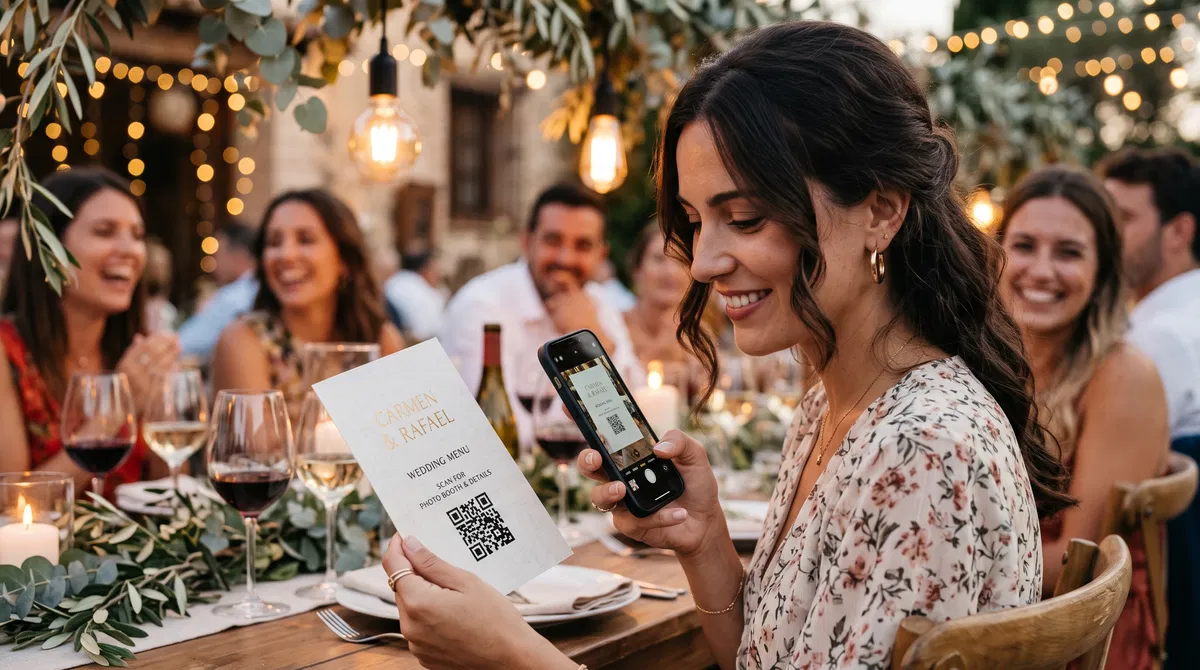
1. On Banquet Menus and Table Numbers (Highest Engagement Spot)
Dinner is when guests spend the most time seated and relaxed. Between courses or during coffee and toasts, almost everyone has their phone on the table.
- Place a sleek vertical card holder at the center of each table right next to the table number.
- Or print a discreet QR code on the back or bottom of each individual dinner menu card.
- Suggested text: "Snapped some great photos today? Scan here to add them to our wedding album in 3 seconds—no apps needed!"
2. Welcome Sign and Seating Chart
At the entrance of your ceremony or cocktail hour, set up an easel with beautiful typography announcing the shared album right as guests arrive. It sets a fun, participatory tone from the start.
3. The Open Bar and Cocktail Stations
Once the party kicks off and the bar opens, the most candid, hilarious, and unexpected moments unfold.
- Place two or three acrylic signs with your QR code right on the bar counter, right by the napkins or cocktail menu.
- While waiting for their drinks, guests will instinctively scan the code.
4. At the Photo Booth, Glitter Bar, or Lounge Area
If you have a glitter makeup bar, neon sign, or dedicated photo lounge, that is selfie central. Putting a QR code there guarantees that all the glittery, glowing portraits go straight into your shared album.
5. On Your Digital Wedding Invitations
The experience doesn't have to wait until the wedding day. If you use digital wedding invitations through services like Specially.love, you can embed the link or preview of your interactive memory album so guests know in advance that their snaps will be part of your story.
4 Foolproof Tips to Get 90% of Your Guests to Share Their Photos
Even with great signage, a few simple psychological and logistical tricks can supercharge your photo collection:
1. Have Your DJ or MC Make a Quick Announcement
Ask your DJ or host to make a brief 20-second shout-out on the mic right before the first dance or as the party starts: "Hey everyone! Sarah and David want to keep every single memory from tonight. You'll find QR codes on every table and at the bar—just open your phone camera and upload your photos right now, no app needed!" This single verbal cue easily triples uploads within ten minutes.
2. Run a Fun Photo Scavenger Hunt ("Wedding Quest")
People love games. You can place a small card on the tables listing 5 fun "photo missions" to hunt down during the night:
- A candid toast with the best man or maid of honor.
- The wildest dance move of the evening.
- A selfie with someone you just met at the wedding.
- The couple's most emotional teary-eyed moment.
- The late-night snack feast at 3 AM.
3. Don't Worry About Spotty Countryside Reception
A common worry for weddings held in rustic estates, barns, or remote villas is weak mobile signal:
- With Eventocam, guests can keep taking photos and videos with their normal phone camera all night long.
- Whenever they connect to the venue Wi-Fi, or even the next morning from their hotel, they simply open the saved link or scan the code again to upload everything in one batch without quality loss!
4. Welcome Voice Notes and Audio Messages
Older guests like grandparents or aunts might find typing long text messages on a phone difficult. Giving them the option to tap a button and record a 30-second spoken blessing with the party music playing in the background is one of the most treasured keepsakes you will look back on years from now.
Frequently Asked Questions (FAQ) About Wedding QR Code Photo Sharing
Do guests need to download an app on their phone?
Not at all. That is Eventocam's biggest advantage. Guests simply open their smartphone's native camera, point it at the QR code, and instantly enter the web gallery through their default mobile browser (Safari, Chrome, etc.). No app downloads, no passwords to remember, and zero phone storage taken up.
Does it compress or lower photo quality like WhatsApp?
No. Unlike messaging apps like WhatsApp or Telegram that aggressively downscale files to save bandwidth, photos and videos uploaded through Eventocam preserve the sensor's full original resolution and fidelity—making them crisp enough for large prints or inclusion in your official wedding album.
Who can see the photos, and how is privacy protected?
Your gallery is 100% private and unique to your celebration. Only people with your event QR code or direct link can access, view, or upload photos. In addition, the couple has access to a host admin dashboard to moderate uploads if needed and download the entire collection in one master ZIP archive.
Can guests share videos and audio voice notes as well?
Yes. Guests can upload video clips from the dance floor and record live audio guestbook messages with their own voice, adding a rich emotional dimension that traditional photo booths and guestbooks simply cannot capture.
How long do the photos stay stored on the platform?
Your digital album remains securely stored in the cloud so you and your guests can browse, relive, and download everything with complete peace of mind, both during your honeymoon and in the months following your wedding.
What if our venue has poor cell reception or weak Wi-Fi?
No problem whatsoever. Guests can snap as many photos and videos as they like with their standard camera app during the event. Whenever they connect to venue Wi-Fi, or later back at their hotel, they can simply tap the link or scan the code from their screenshots to upload all their captures at once without losing quality.
The Ultimate Keepsake: Reliving Your Wedding from Every Angle
Your wedding day is a once-in-a-lifetime celebration, but the memories will last forever. Relying on chaotic chat threads to gather pictures or waiting weeks for hit-or-miss disposable camera scans is an unnecessary gamble when modern tech offers an elegant, zero-friction solution.
Setting up your wedding QR code album with Eventocam guarantees that no smile, no wild dance move, and no heartfelt toast gets left behind. Your guests will love being an active part of your story, and you will walk away with the most complete, hilarious, and authentic keepsake of the happiest day of your lives.
Ready to collect every memory from your big day?
Discover how effortless and fun it is to gather all your wedding photos and videos with Eventocam in real time—no apps required for your guests.