
A digital guestbook. For words worth keeping.
Photos capture the moment. Messages capture the feeling. Bring your guests’ heartfelt wishes, photos, videos and voice messages together in a guestbook made for your celebration.
Sign up and get your guestbook ready for the big day.
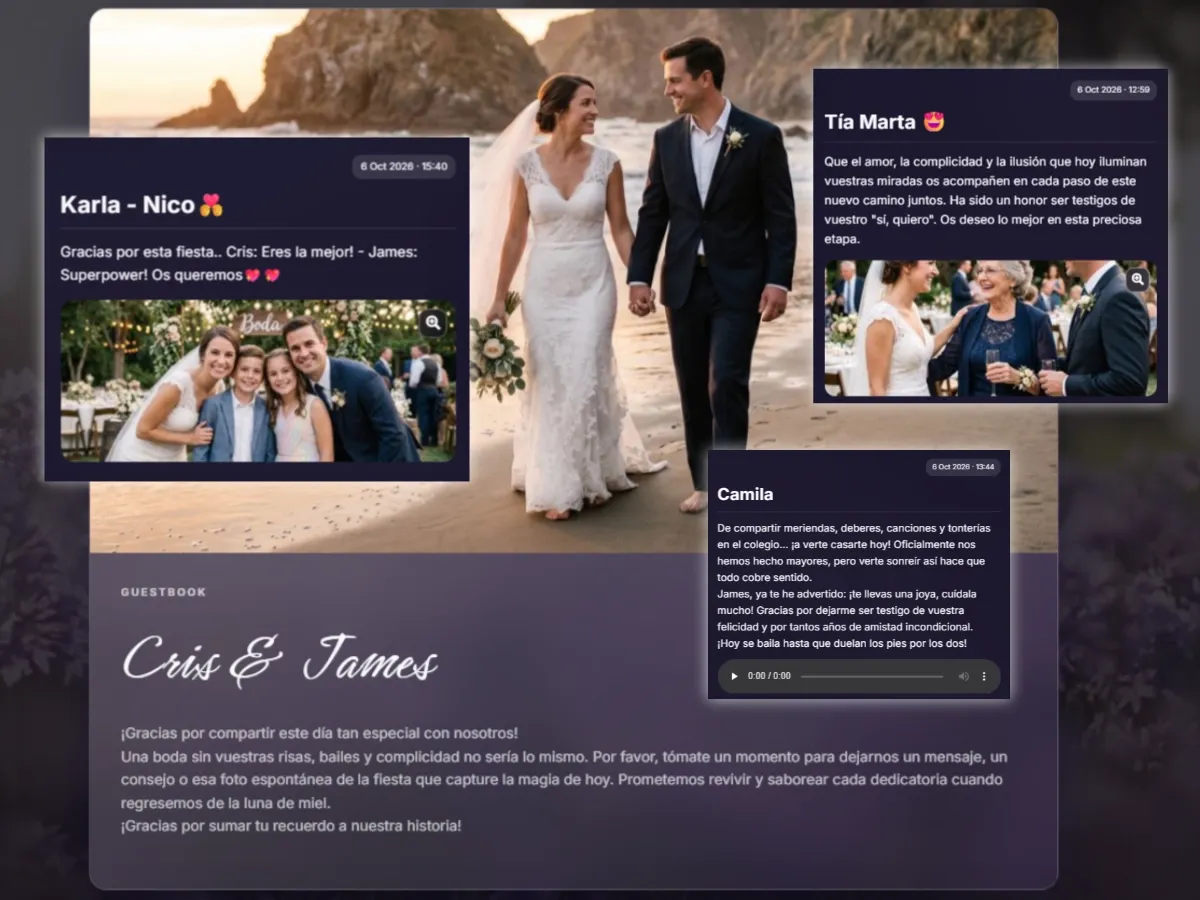
Everyone has something to share. Give those words a home.
Your grandparents’ advice. That story only your best friend could tell. A few loving words from your family. Keep them all as part of your wedding, birthday or special celebration.
Messages from the heart
Loving words, warm wishes and shared memories you’ll enjoy reading long after the day is over.
More than just words
Guests can add photos and videos to their messages, bringing each memory to life.
Hear it in their voice
Keep the laughter, the familiar voice and the emotion that a written message can’t quite capture.
Make it your own
Choose a cover photo you love and add a welcome message to set the tone for your guestbook.
A keepsake you can print
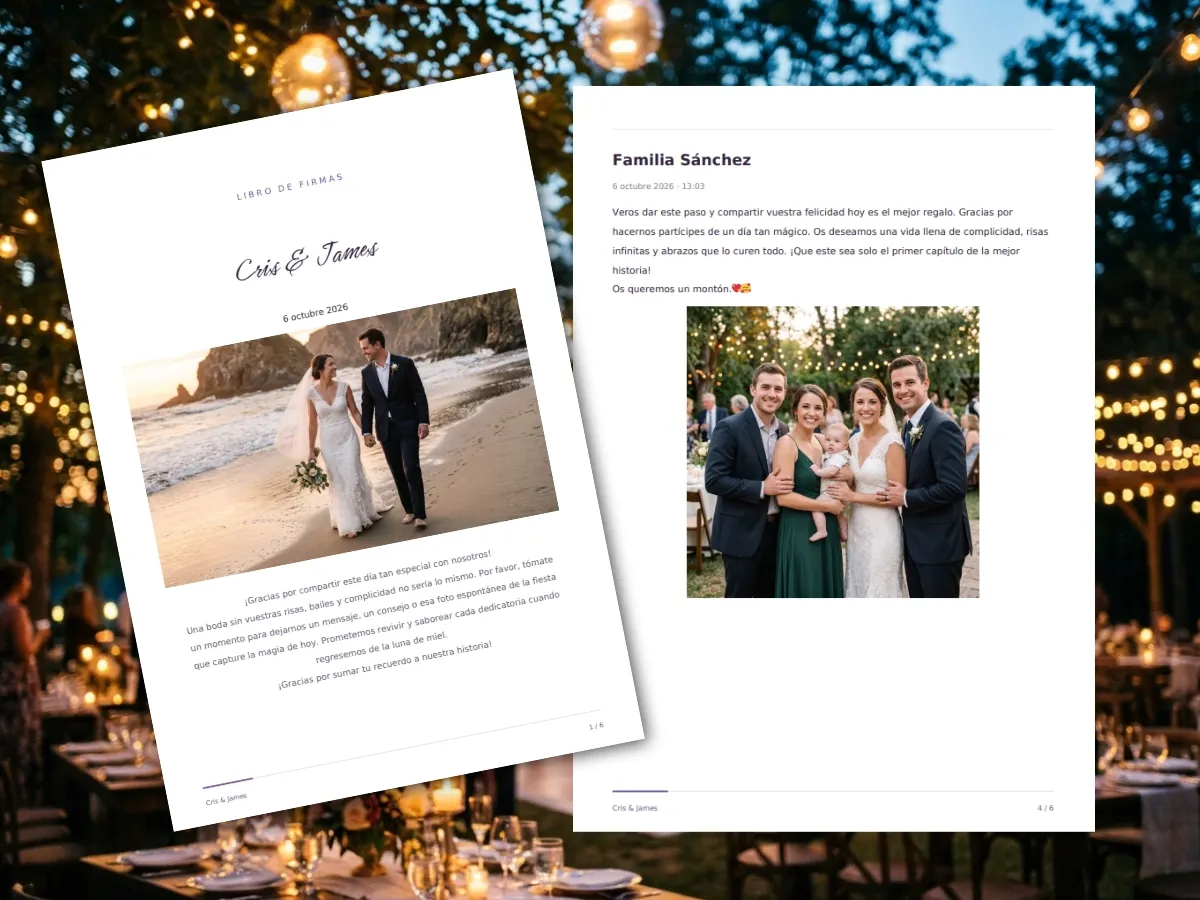
Create and download a PDF of your guestbook to keep a copy on paper, too.
You’re in control
Manage guestbook entries and add password protection whenever you want to restrict access.
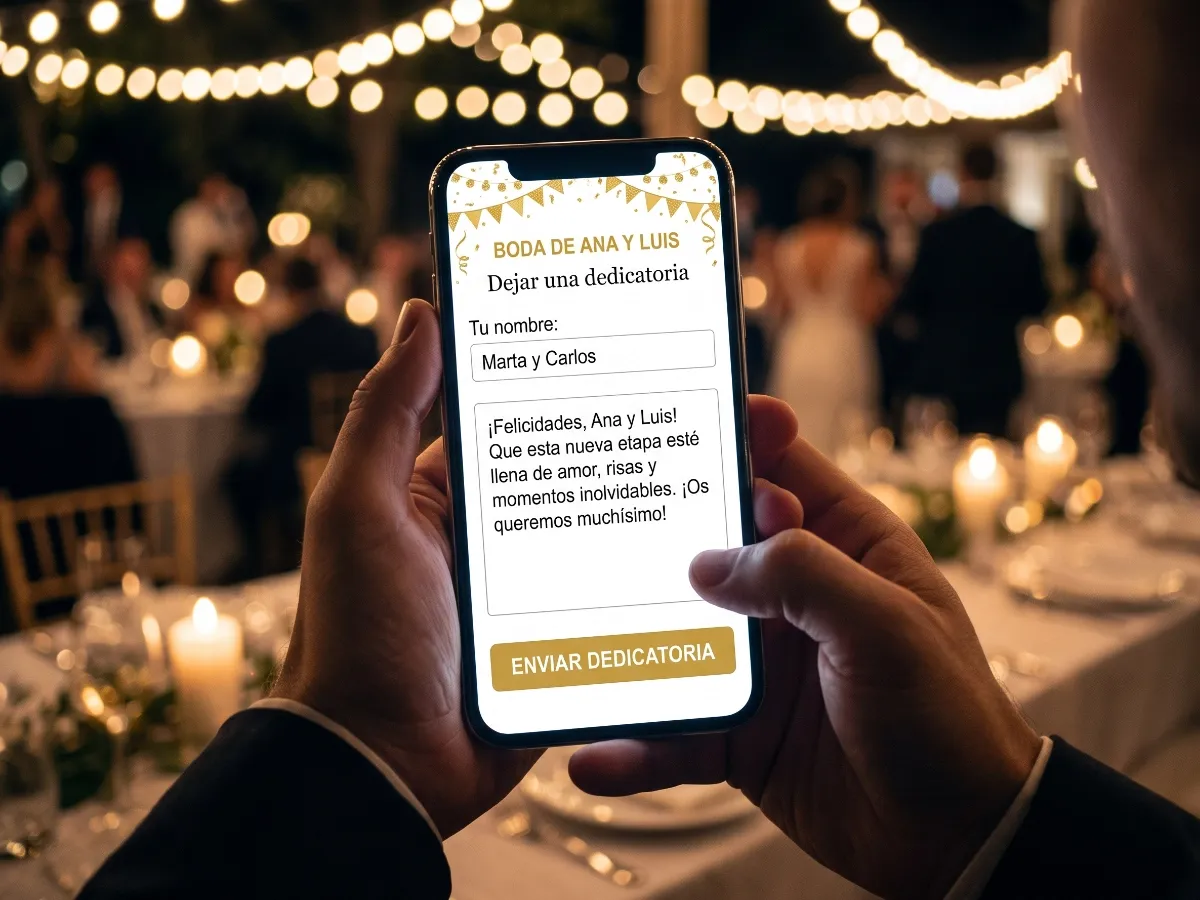
One link. So many ways to leave a memory.
Share your guestbook link and let everyone add their own message straight from their phone’s browser.
- No app to download.
- No guest account needed.
- Add a message, photos, a video or a voice recording.
You set up the book. Your guests fill it with memories.
Start my guestbookYour guestbook, ready in three steps
Turn a special day into something you can come back to.
Set up your guestbook
Open your event in Eventocam and enable the Guestbook section. Add your cover photo and welcome message.
Let your guests join in
Share the link so everyone can leave a message during your celebration.
Enjoy it all over again
Read their messages, browse their photos and play their recordings. Create a PDF when you’re ready for a printed keepsake.
Memories on your screen. A keepsake in your hands.
Download your guestbook as a PDF to save or print your guests’ messages and photos. Relive the day, one page at a time.
Videos and voice messages remain available to enjoy digitally.
Your guestbook questions, answered
What can guests add to the guestbook?
Guests can write a personal message and add photos, a video or a voice recording. Each entry can bring together their words and memories of your celebration.
Do guests need an app or an account?
No. Guests simply open your guestbook link in their browser and leave a message without creating an account. If you’ve enabled password protection, they’ll need the password you’ve shared with them.
Can I personalise the guestbook and manage entries?
Yes. Add your own cover photo and welcome message, manage entries and protect your guestbook with a password. From your guestbook management area, you can approve pending entries or unpublish any you don’t want to display.
Can I download and print my guestbook?
Yes. Create a PDF of your published entries, then download it to save or print. Videos and voice recordings can be played digitally, while the printed book lets you enjoy your guests’ written messages and photos.
How many entries can my guestbook receive?
Entry limits and storage for photos, videos and audio depend on your event’s plan. Check the limits in your Eventocam account before sharing your guestbook with guests.
The day comes to an end. Their words stay with you.
Keep the messages that make you smile, bring a tear to your eye and remind you who was there to celebrate with you.
Create my Eventocam accountGet your guestbook ready for your next celebration.