
You set up the event. They bring the memories.
How Eventocam worksOne QR code. Every memory.
Create a space for your event and let your guests fill it with photos and videos. Straight from their phone’s browser, without installing an app.
Guests do not need to install an app
Set up your event in 4 steps
Give it a name, add your style and share the QR code. You decide how the story begins.
Create your event
Enter the event name, set the date and add a welcome message. Your guests will know they have found the right place to share their memories.
Choose your gallery and slideshow background
Pick a background that fits your celebration for the gallery and slideshow. Create a visual experience that feels like part of your event.
Upload your cover photo
Add a personalised photo to the event cover. Choose an image that represents you or helps guests recognise the celebration when they open the link.
Download and print your QR code
Download your QR code and put it where guests can see it: on tables, signs or at the entrance. You can also share the event link before the celebration.
The videos show the Eventocam dashboard in Spanish.
Even easier for your guests
Three steps on their phone. No app downloads or guest account needed.
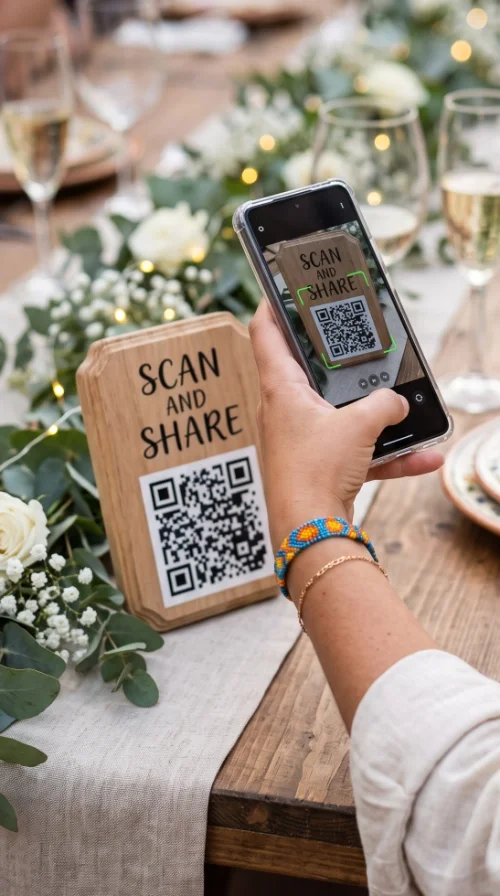
Scan the QR code
Open your phone’s camera, point it at the QR code and tap the link that appears. If someone has sent you the event link, you can open it directly.
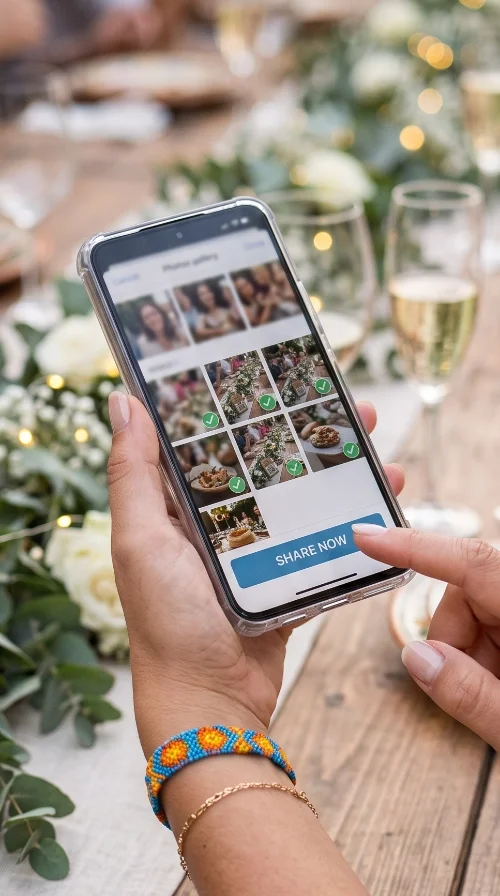
Select your photos or videos
On the event page, choose the photos or videos you want to share from your phone and complete the upload. You will need an Internet connection.
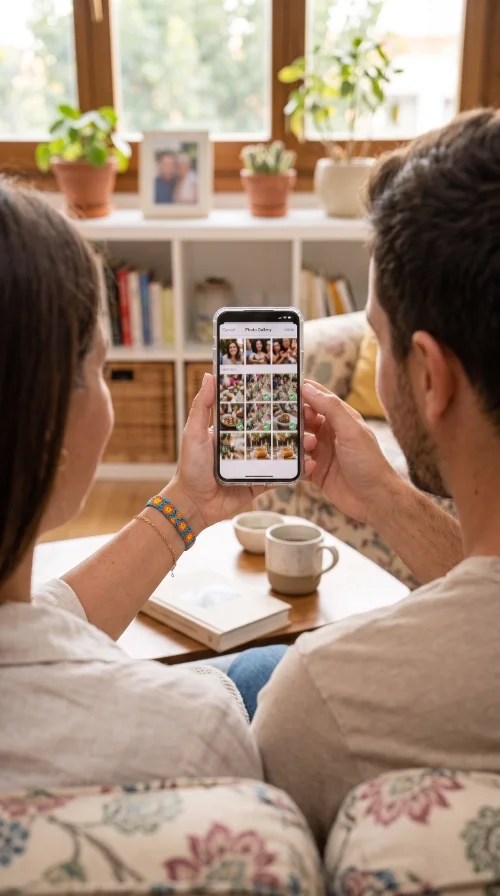
Visit the gallery
Open the gallery to see the memories being collected. If the event is password-protected, ask the person organising it for the password.
Your questions, answered before you start
Do guests need to install an app?
No. Guests open the event in their phone’s browser by scanning the QR code or tapping the link. They do not need to install an app or create an account to share their memories.
What do I need to create an event?
Create an Eventocam account and prepare your event name, date and welcome message. You can then choose a gallery and slideshow background, upload your cover photo and download the QR code.
Can I personalise the event’s appearance?
Yes. You can choose the gallery and slideshow background and add a personalised cover photo. The page your guests see can reflect the style of your celebration.
Do I have to print the QR code?
No. Printing it makes access easier during the celebration, but you can also send guests the event link so they can open it directly on their phone.
Can guests share both photos and videos?
Yes. Guests can select photos or videos from their phone and upload them to the event. Video availability and upload limits depend on the event’s plan.
Is an Internet connection required?
Yes. Opening the event, uploading files and viewing the gallery require an Internet connection through mobile data or Wi-Fi.
Who can access the gallery?
Access depends on the event’s settings. You can protect the gallery with a password and share it with the guests you want to give access to.
Where can I compare plans or get help?
Visit the pricing page to compare plans and features. You will find more tutorials in Guides, or you can get in touch through Contact if you need help with your event.
Make your event your own
Your next memory starts here
Create your event and get the QR code ready. Your guests take care of sharing their point of view.
Create your event